

Manage AI connections
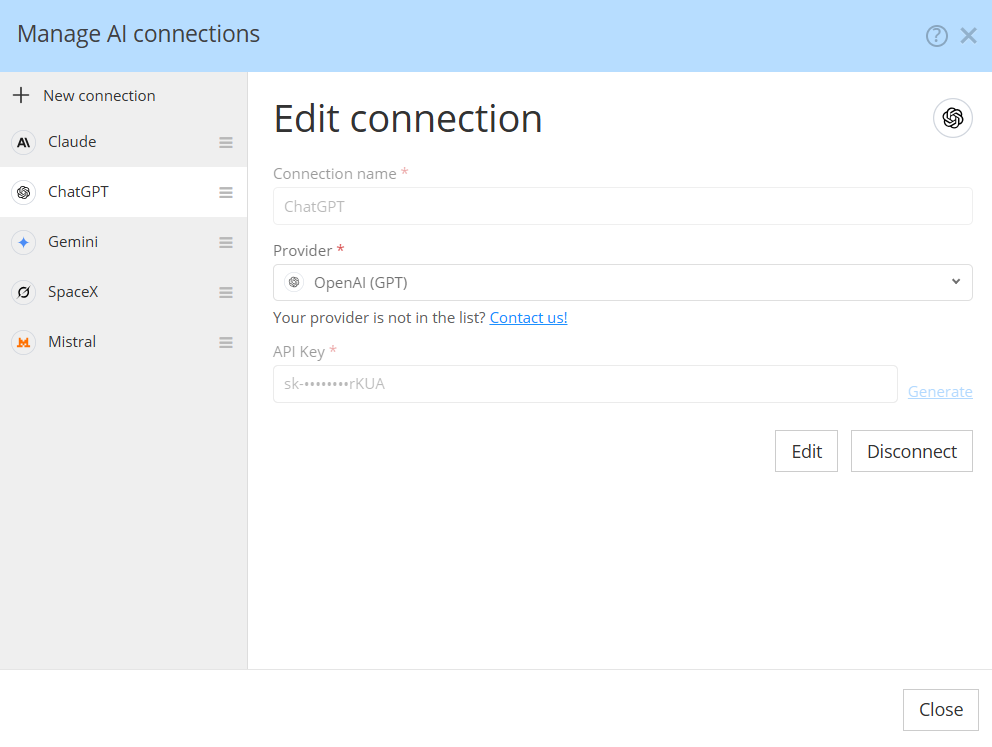
The Manage AI Connections dialog lets you configure and manage connections to AI providers for use with Hackolade Studio. Each connection defines the provider, authentication credentials, and optionally a custom endpoint through which AI requests are sent.
You can create multiple connections, including several connections to the same AI provider using different API keys or endpoints.
Creating a new connection
Click New connection in the left panel to configure a connection.
Connection name: Enter a descriptive name to identify the connection. This name appears in the list of available connections. You can choose any name that helps distinguish between providers, accounts, environments, or configurations.
Provider: Select an AI provider from the dropdown list. Currently, Hackolade Studio supports five providers:
- Anthropic (Claude)
- Google (Gemini)
- Mistral AI
- OpenAI (GPT)
- SpaceXAI (Grok)
Additional providers will be introduced progressively, with priorities determined by customer requests. If your preferred provider is not listed, contact our Helpdesk at support@hackolade.com to submit a request.
API Key: Enter the API key associated with your account at the selected provider. Click Generate to access the provider's website and obtain an API key if you do not already have one. API keys are typically obtained separately from consumer AI subscriptions and may require an account with API billing enabled. You may also have to get this API key your administrator.
Base URL (optional): By default, Hackolade Studio connects directly to the selected provider's online API service. Click Use a custom base URL to specify an alternative endpoint.
A custom base URL can be used to connect through an enterprise API gateway, a proxy, or a compatible self-hosted AI model endpoint instead of the provider's default online service. This is particularly useful for organizations that deploy AI models within their own infrastructure or require API traffic to pass through an internal gateway.
The custom endpoint must expose an API compatible with the protocol expected for the selected provider. Simply specifying a different URL does not guarantee compatibility with arbitrary AI model servers.
Leave the Base URL field empty to use the provider's default endpoint.
Once the required fields have been completed, click Connect to establish the connection.
Managing multiple connections
The left panel displays all previously configured AI connections.
You can configure the same provider multiple times, each with its own connection name, API key, and optional Base URL. For example, you might maintain separate OpenAI connections for development and production, use different API keys for individual teams, or configure both a public AI service and an internally hosted endpoint.
Connections can be arranged in your preferred order. Use the drag handle (☰) to the right of each connection name to drag it up or down in the list.
This makes it easy to organize connections according to your preferred providers or most frequently used configurations.
Editing an existing connection
To modify an existing connection, select it from the list in the left panel. Its configuration is displayed in the main area of the dialog.
You can update the connection settings, such as its name, API key, or custom Base URL, and apply the changes. This allows you to rotate API keys, switch between endpoints, or adjust connection configurations without creating a new connection.
Removing a connection
To remove a connection that is no longer needed, select it from the left panel and click the Disconnect button. Confirm the removal when prompted.
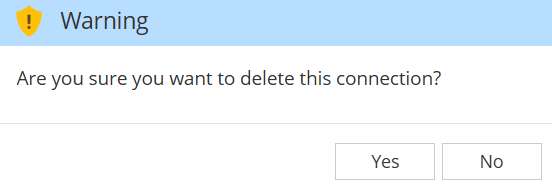
Removing a connection deletes its configuration from Hackolade Studio but does not revoke the API key at the provider. If the key should no longer be used, revoke it separately through the provider's administration interface.
Self-hosted models and enterprise gateways
Organizations are not limited to connecting directly to public AI services. By configuring a custom Base URL, they can route AI requests to an endpoint hosted within their own infrastructure or managed through an enterprise gateway.
This enables organizations to integrate Hackolade Studio with their existing AI infrastructure while maintaining control over endpoint selection, authentication, and network routing.
Compatibility depends on the API exposed by the endpoint and the provider selected in the connection configuration.