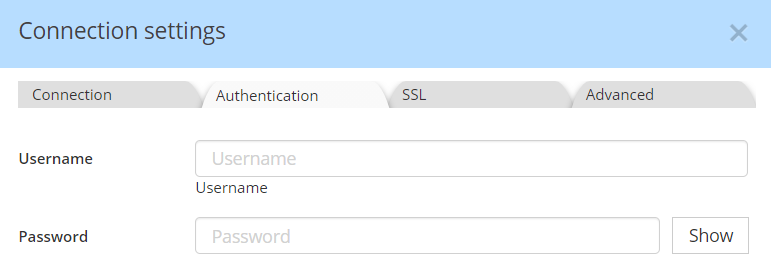

Connect to Confluent Schema Registry
The Confluent Schema Registry is accessible from targets Avro, JSON, and Protobuf, the 3 file formats supports by the registry.
You must specify a friendly name for the connection, plus the registry URL.
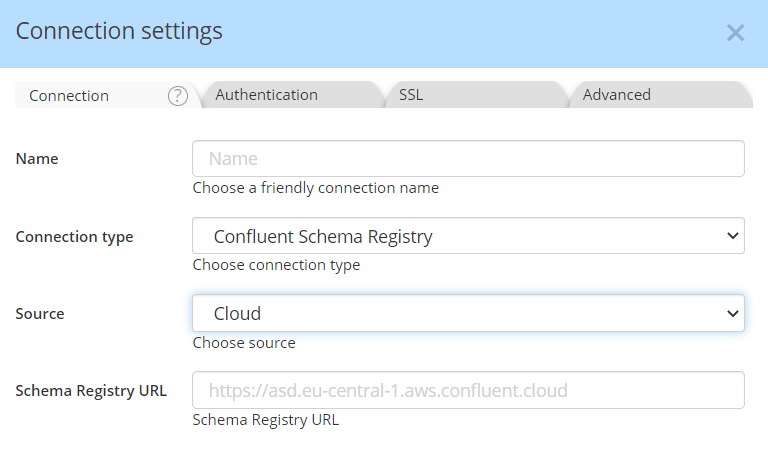
To get the Schema Registry URL REST ENDPOINT, do one of the following:
- From the Confluent Cloud Console (https://confluent.cloud/), navigate to an environment with a Schema Registry enabled to view the value given for “Endpoint” under “Stream Governance API” on the right panel.
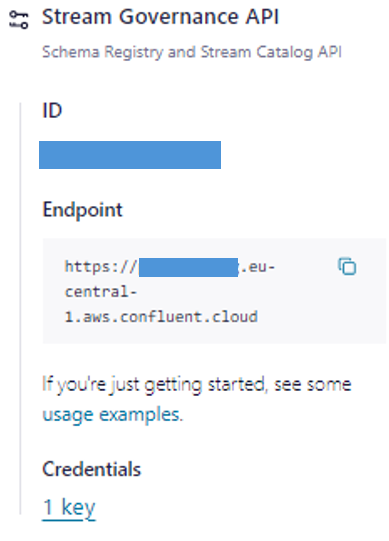
- From the Confluent CLI, run confluent schema-registry cluster describe to view the value given for Endpoint URL.
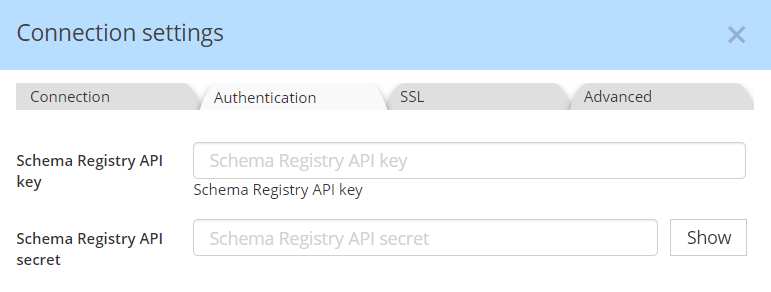
The Authentication info depends on whether your instance is on-premises or in the Cloud. If in Confluent Cloud, you need to enter the API key and secret, as created for the REST endpoint:
If your instance is on premises, you must provide a username and password: